 Own24
Own24
Personal time ownership
Own your 24 hours.
Start a timer and Own24 records where the hours actually went. Give it a few weeks and it starts showing you the patterns you have been living inside.
iPhone first · Android coming soon
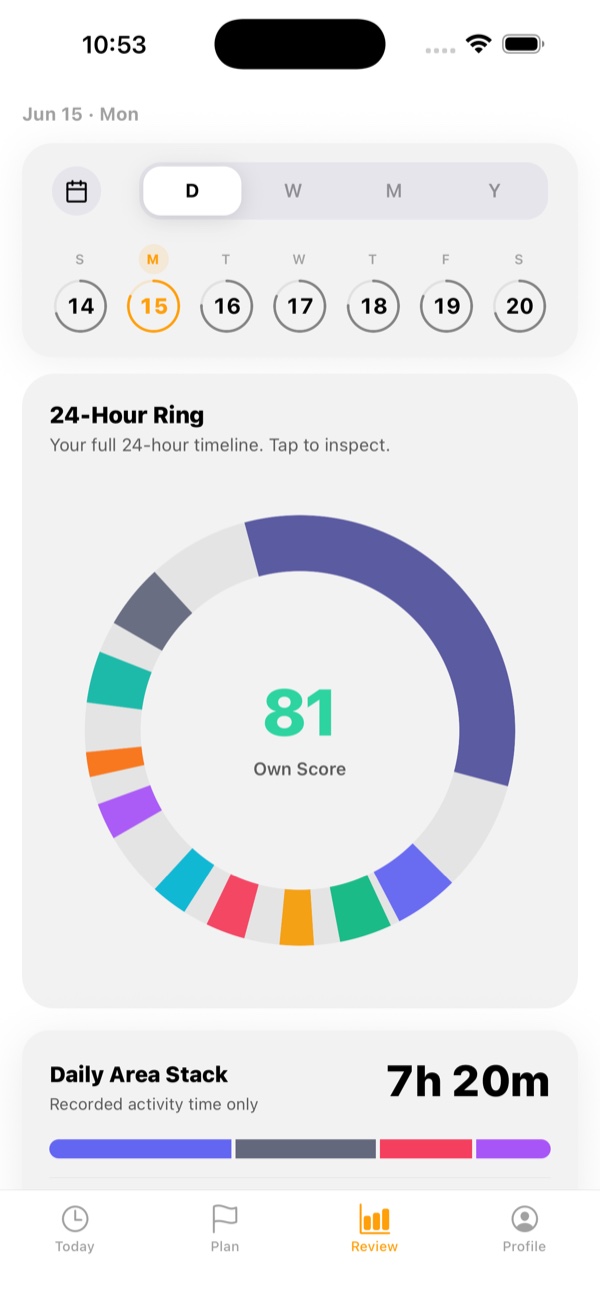
Why Own24
Your calendar is a list of intentions.
Own24 is the record of what actually happened.
Keep that record long enough and it starts to explain you.
How it works
Four steps, and only the first one is work.
01
Track
Start a timer when you begin. Stop it when you stop. That is the whole input.
02
Visualise
Your day becomes a shape you can take in at a glance.
03
Understand
Repeat it and the shapes start rhyming. Own24 names what recurs.
04
Decide
You already know what you would change. Own24 leaves the change to you.
What you see
One day is a fact. Thirty days is a pattern.
Every screen below is the app itself. Day, week, month and year each answer a different question about the same life.
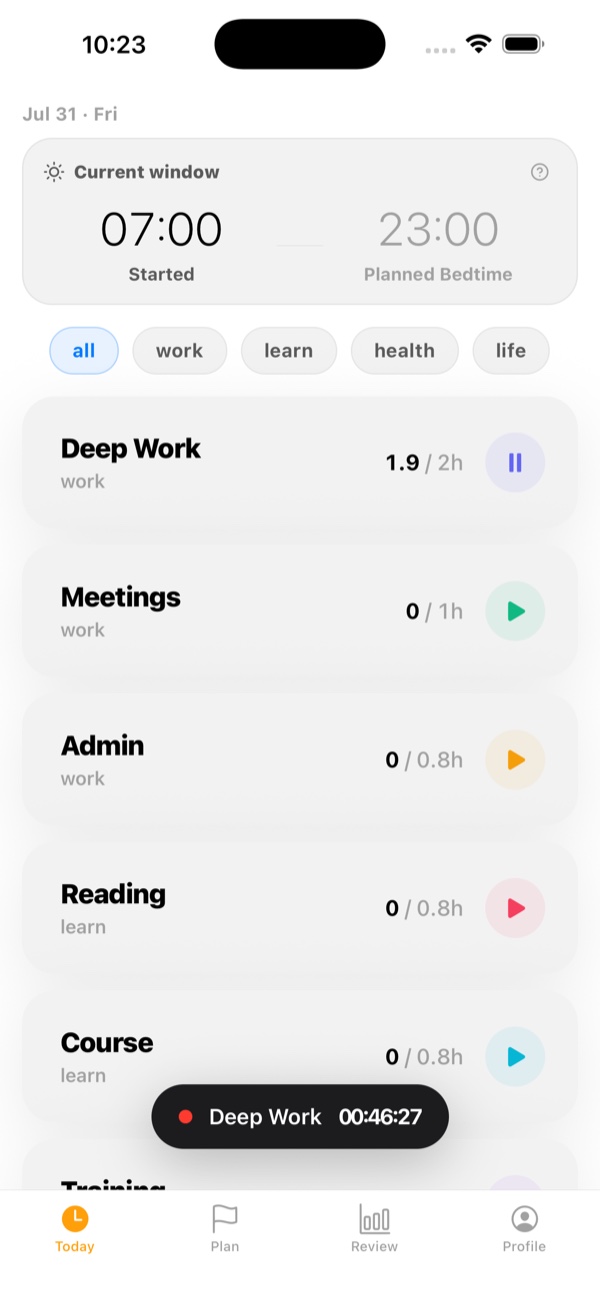
Today
Start a timer against the day you planned. One live session at a time.
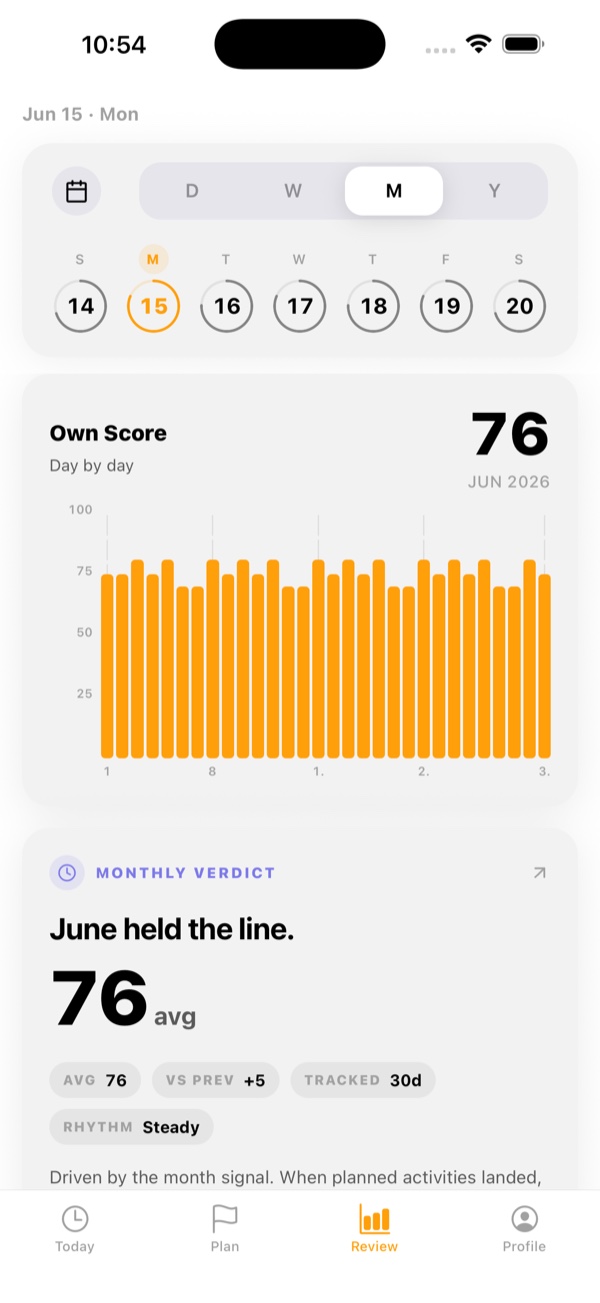
Month
Thirty days of Own Score, and the verdict the month earned.
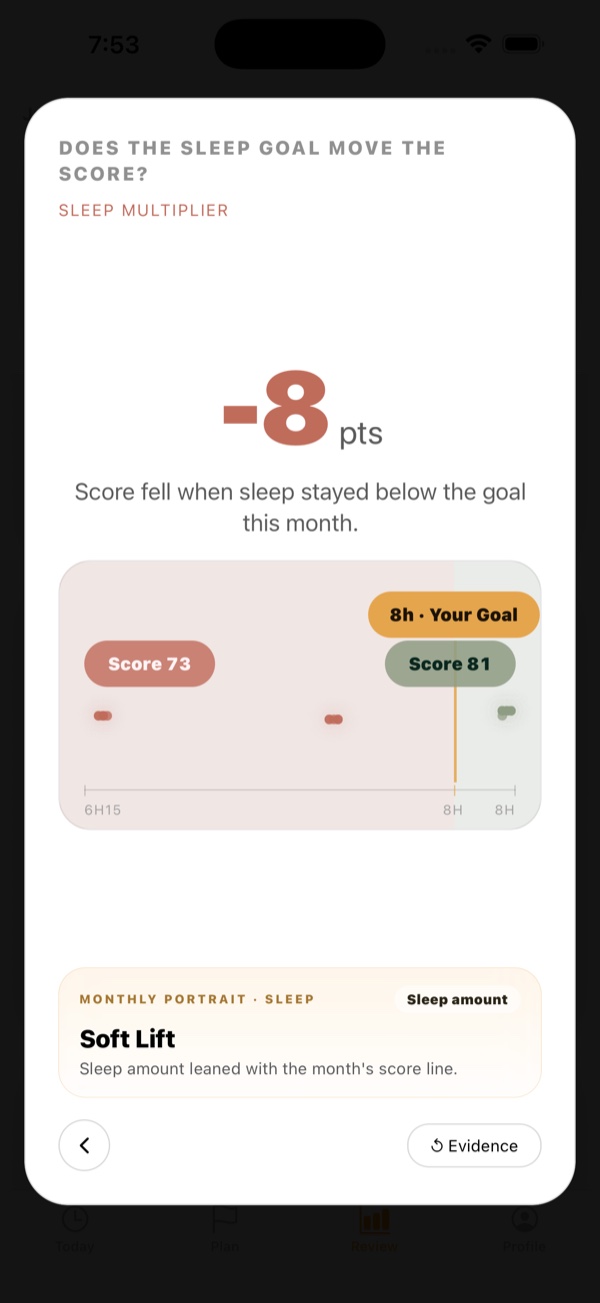
Story Mode
A pattern, named, carrying the evidence it was measured from.
Own24 tells you what it sees. What you do about it is yours. Nothing decides for you what a well-spent hour looks like.
What it costs
Free to keep. Pro when the long view matters.
Free
Plan, track and review, for as long as you like. Free keeps the most recent 30 days of review.
Pro
Every feature unlocked: complete history, the full Story Mode deck, Year Signal and trajectory evidence.
Pro is an optional monthly or yearly subscription, purchased through the App Store. Prices and terms are shown before you buy. It renews automatically until you cancel, which you can do anytime in your Apple ID settings.
Own your 24 hours.
Own24 is on the App Store for iPhone.
Download on the App StoreAndroid is next. Ask for the Android beta and we will write back.